Verixa: The Ledger Never Lies
Eliminating medical document fraud with blockchain + AI + human consensus.
Problem
- Manual verification takes 3–7 days, expensive and error‑prone
- High fraud rates due to tampered and repeated documents
Solution
- Blockchain‑backed proofs + AI analysis + human validator consensus
- Single‑use validity prevents double claims
- Transparent, auditable workflow
Key Benefits
- Instant verification
- Fraud prevention
- Cost reduction
- End‑to‑end transparency
- Web3 wallet (MetaMask)
- Polygon Amoy Testnet (Chain ID: 80002)
- Gas fee for insurance companies and validators
- Login: Wallet address + password set during registration
- 4 roles with specialized dashboards
- Two‑layer verification (AI + Human consensus)
- Automatic POL reward distribution
- Single‑use document validity
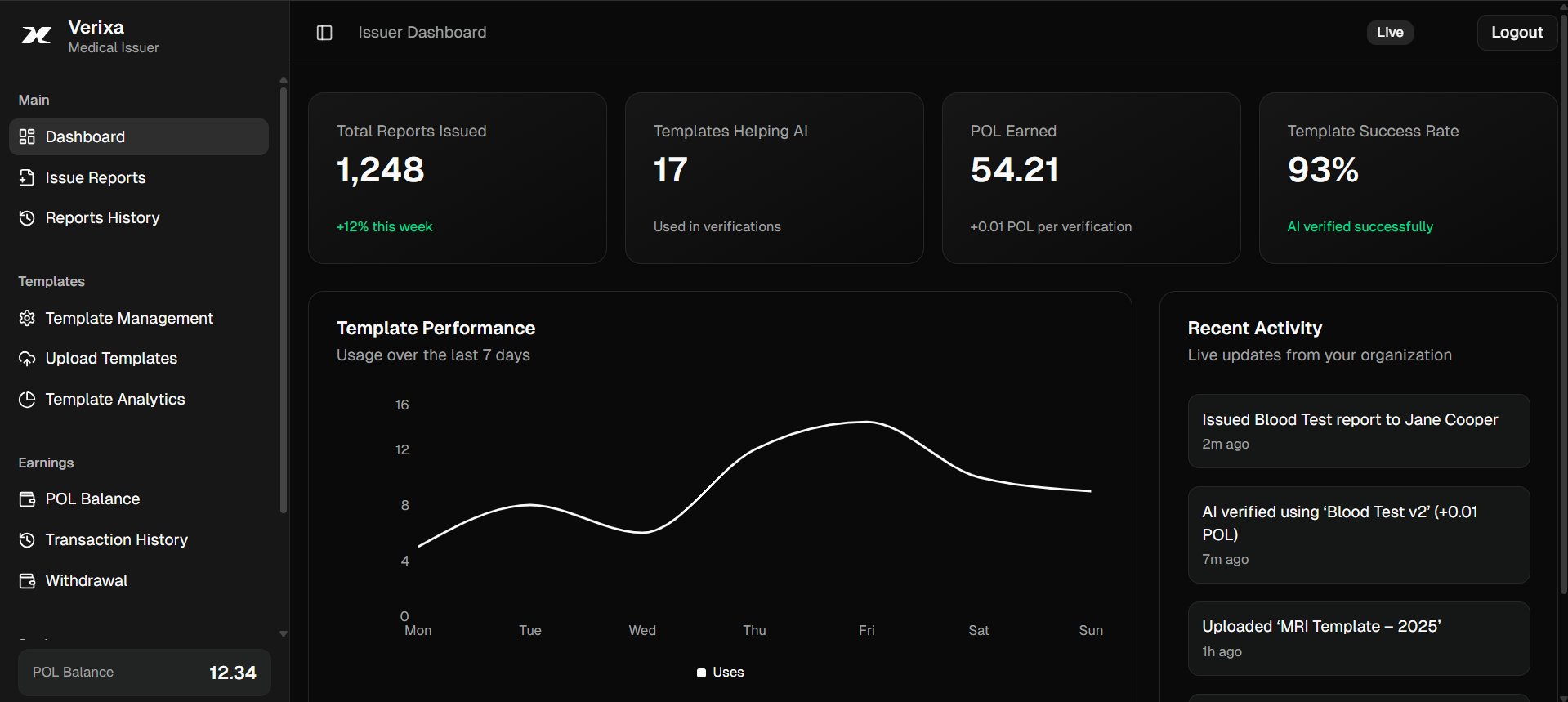
🏥 Medical Issuer
- Reports issued from this platform are treated as trusted and verifiable by insurers.
- Patients can file claims immediately using these reports — no third‑party attestation required.
- Single‑use validity: once a report is used successfully in a claim, it becomes locked and cannot be reused for another claim.
- Issuer actions are performed from the dashboard’s “Issue Reports” view.
👤 Patient
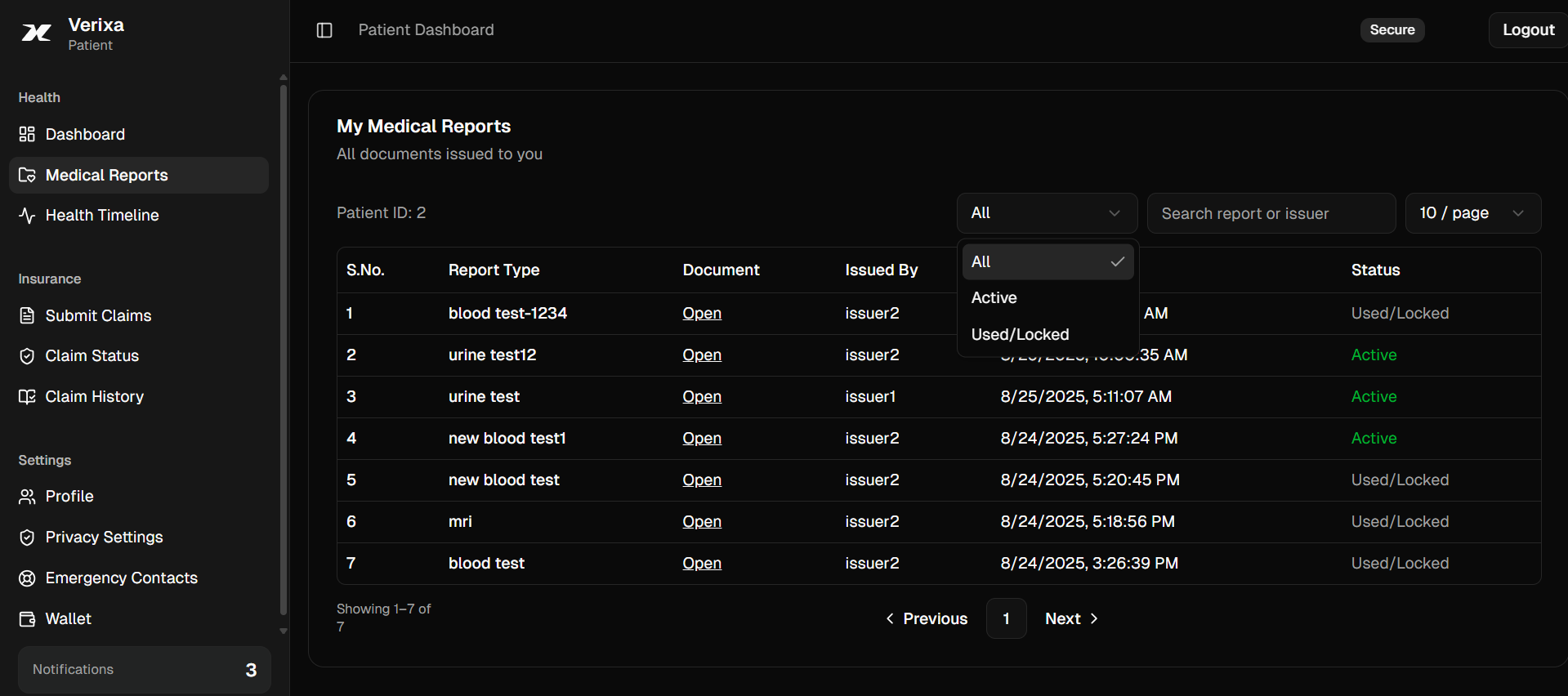
View every medical report that has been officially issued to you on this platform. Each report is verifiable and can be used to back an insurance claim. Once a report successfully backs a claim, it becomes single‑use locked and is marked as used.
The table supports quick search, filters (status, type, date), and neat pagination for a clean UX.
🏢 Insurance Company
Two‑Layer VerificationThe dashboard summarizes open claims, verification workload, recent approvals/rejections, and quick links to your verification tools. Most cards are informational and help you jump to actions quickly.

⚖️ Validator
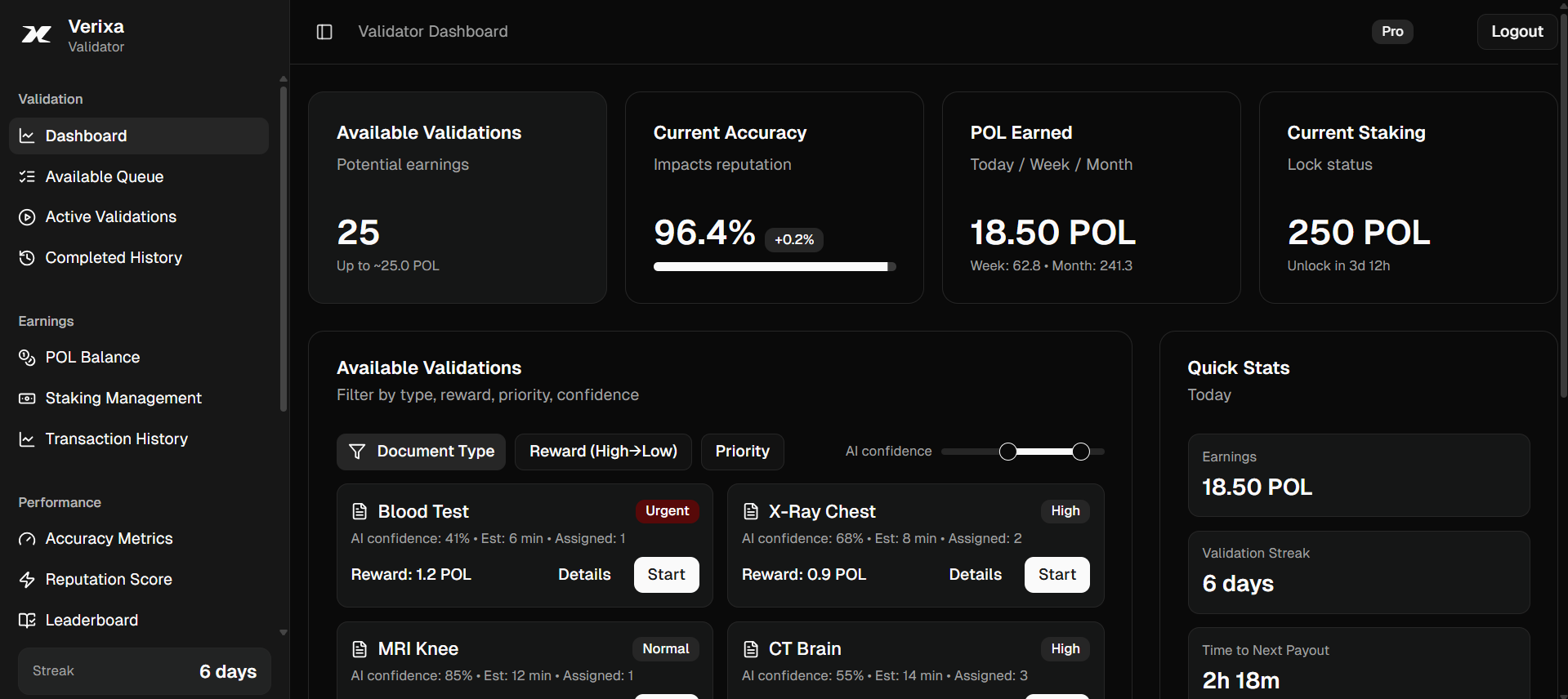
Earn POLRole
- Review assigned documents and submit validation results on-chain.
- Help achieve consensus across multiple validators per task.
- Earn POL rewards automatically when tasks reach Completed.
At a glance
- Open tasks, active validations waiting on others, and completion rate.
- Recent payouts and estimated rewards in pipeline.
- Accuracy and reputation indicators (future).
🔧 Technical Specifications
- Polygon Amoy Testnet (Chain ID: 80002)
- Smart contracts for automated verification & payouts
- IPFS for document storage
- MetaMask wallet integration
- POL token utility & distribution
- 10% platform fee on all transactions
- Reward mechanisms for roles
- Gas optimization strategies
- Document immutability via blockchain hashing
- Multi‑signature validation for high‑value claims
- Fraud detection algorithms & patterns
- Privacy & encryption controls
🧭 Registration & Login
- MetaMask (or compatible Web3 wallet) installed.
- Polygon Amoy Testnet selected (Chain ID 80002).
- Small test POL for gas (mainly for Insurance/Validator actions).
Start at the Role Selection page, pick your role, and complete the role-specific form.
- Open Role Selection and choose your role.
- You will be routed to /register/<role> (e.g., /register/validator).
- Connect your wallet and switch to Polygon Amoy within the form if prompted.
- Fill in details and set your platform password.
- Submit to complete registration.
After registration, sign in using your wallet address and the password you set. On success, you will be redirected to your respective dashboard.
- Issuer → Issuer Dashboard
- Patient → Patient Dashboard
- Insurance → Insurance Dashboard
- Validator → Validator Dashboard
Getting Started
- Install MetaMask and connect Polygon Amoy (80002)
- Select role and complete verification
- Set password and link wallet
- Make your first transaction